v4.1 - SaaS
Upstream Kubernetes for Bare Metal and VMs
Kubernetes Component Configuration (Control Plane Overrides)
Customizing control plane flags or feature gates previously required directly editing static pod manifests which is error-prone and unsupported.
This release introduces Control Plane Overrides, enabling configuration of extra args, volumes, and volume mounts for the API Server, Controller Manager, and Scheduler via the console or cluster spec and other supported interfaces at Day-0 or Day-2.
Benefit
Safely tune control plane behavior without touching static pod manifests, reducing operational risk and keeping clusters in a supported state.
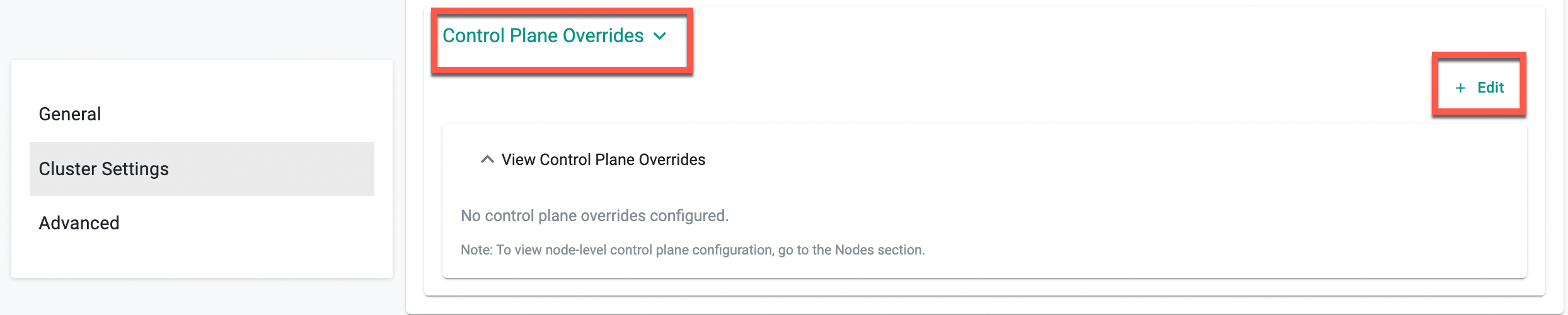
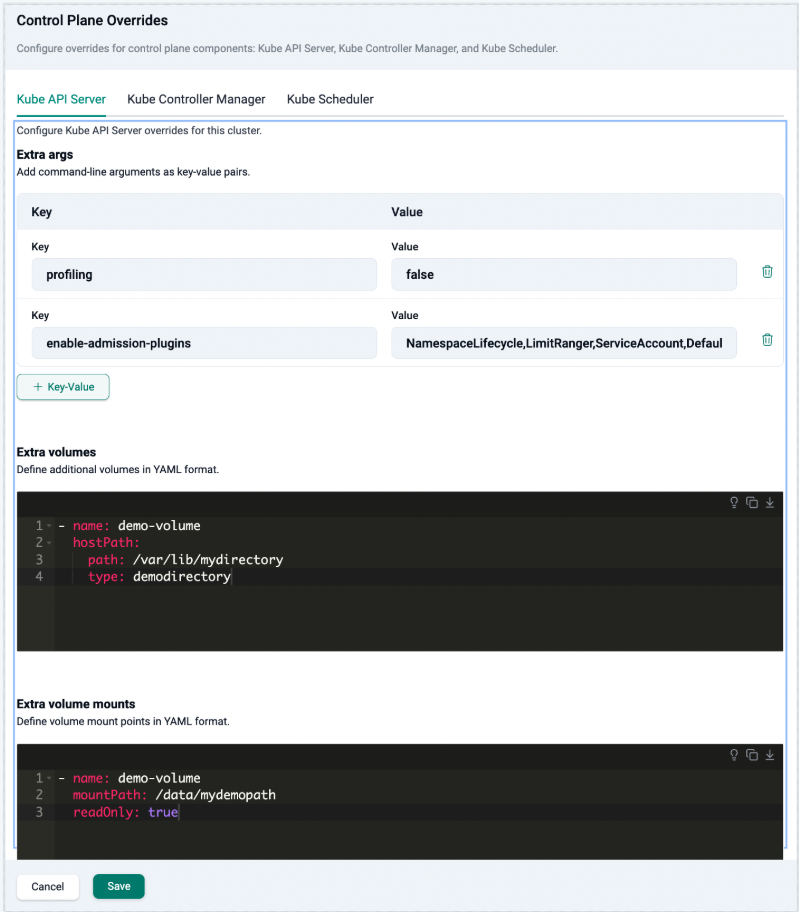
For more information, see Kubernetes Component Configuration.
Cluster and Node Annotations Support
Attaching metadata to clusters and nodes previously required workarounds outside of cluster configuration.
Annotations can now be set directly in Cluster Settings at Day-0 or Day-2, via the UI, Terraform, rctl, or APIs. Node-level annotations merge with cluster-level ones, with node values taking precedence on conflicts.
Benefit
Attach ownership, environment, and compliance metadata in-config for consistent governance without external workarounds.
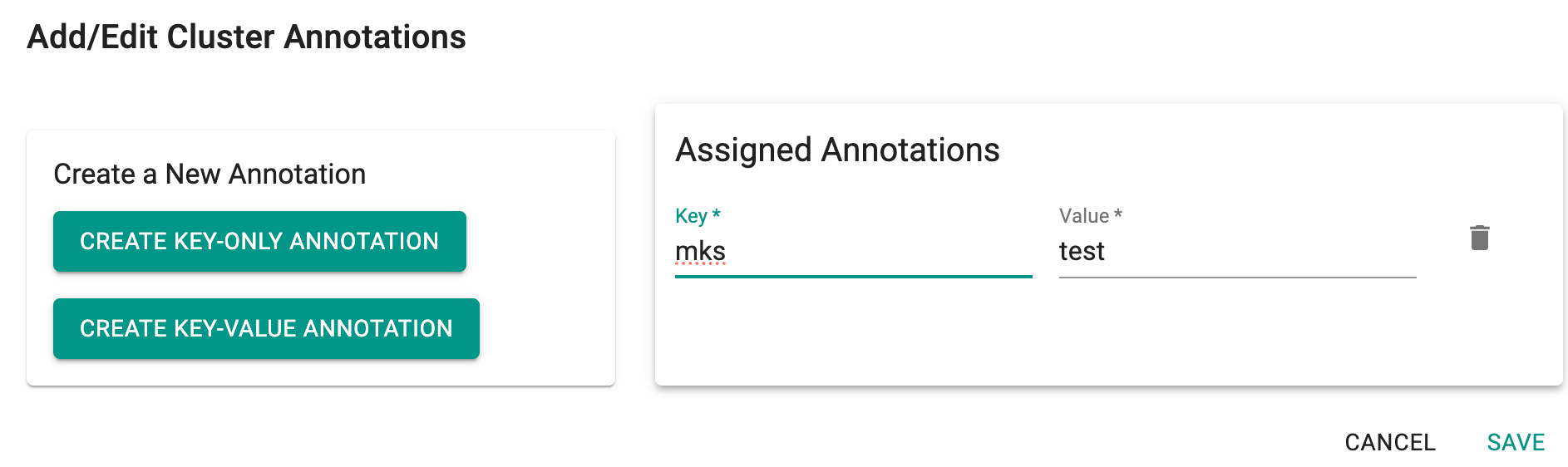
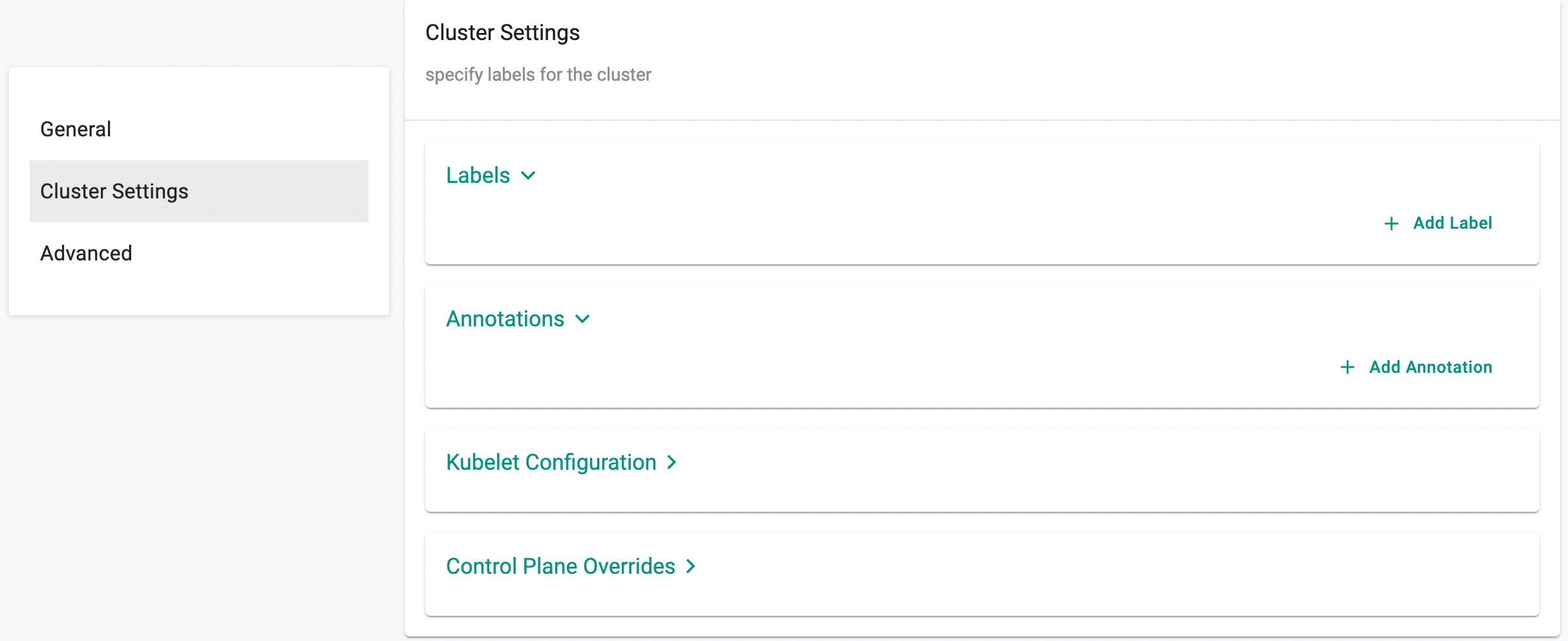
metadata:
  annotations:
    env: prod
spec:
  config:
    nodes:
    - hostname: <hostname>
      annotations:
        envmnt: preprod
For more information, see Cluster Settings.
Enhancement: Preflight Checks in Conjurer
Cluster provisioning previously could fail due to pre-existing Kubernetes installations, residual CNI configurations, or conflicting binaries on nodes.
This release adds node-level preflight validations that detect these conflicts before provisioning begins. If issues are found, installation halts with explicit error messages before any changes are made to the node.
Benefit
Get early, actionable feedback before provisioning starts, eliminating time-consuming troubleshooting of mid-installation failures.
For more information, see Preflight Checks.
Amazon EKS
Repair Configuration Overrides for Node Auto Repair
Node repair previously used a single default behavior regardless of the failure condition.
This release adds Repair Configuration Overrides — per-condition rules that specify the monitoring condition, unhealthy reason, wait time, and repair action (Replace, Reboot, or NoAction). Up to 49 overrides per node group are supported.
Benefit
Apply the right remediation per failure type, reducing unnecessary node replacements and disruption to running workloads.
Note
Repair Configuration Overrides is currently supported via RCTL, Terraform, API, and System Sync. UI support will be added in the Upcoming release.
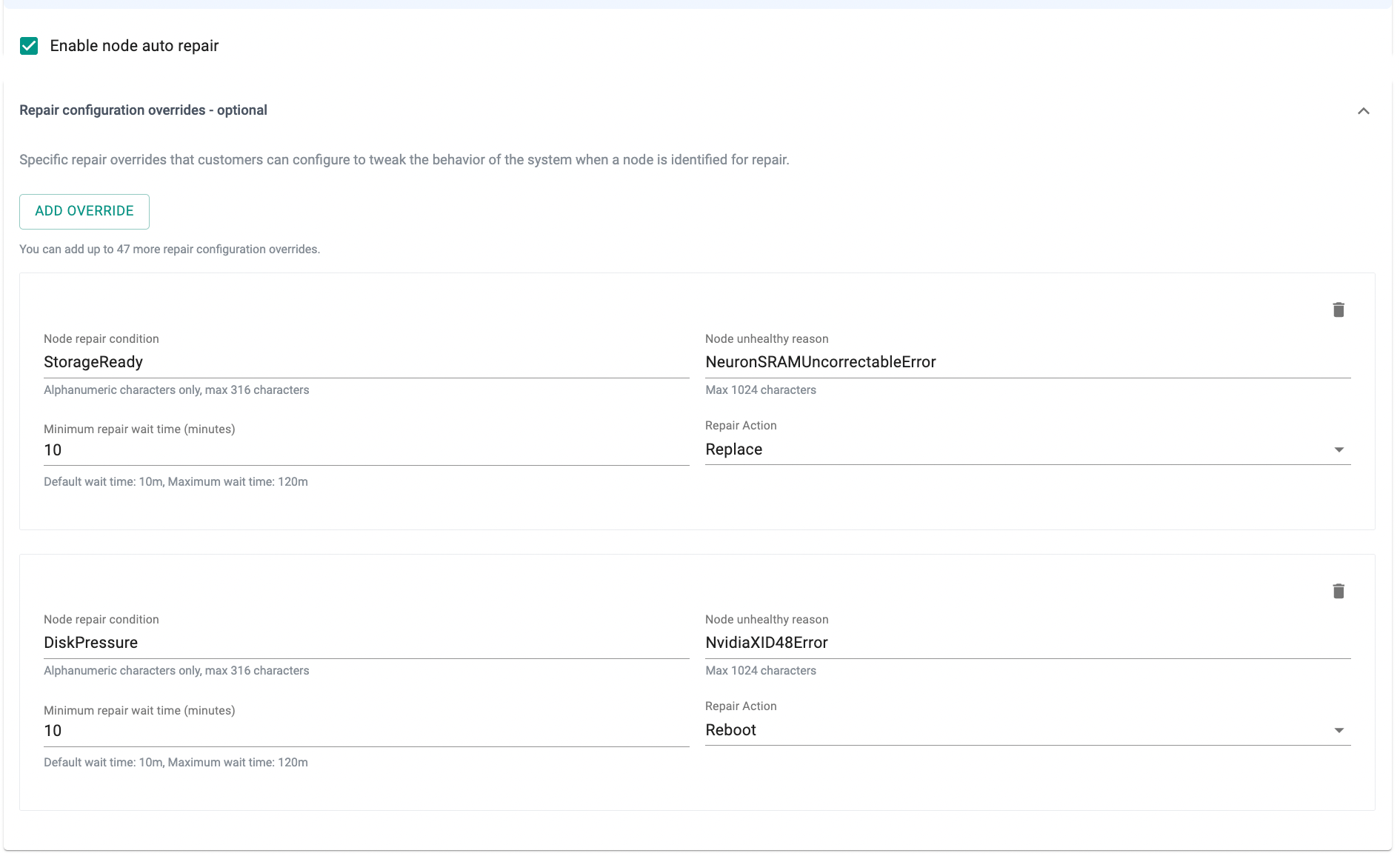
For more information, see Node Auto Repair — Repair Configuration Overrides.
ARC Zonal Shift Support
Redirecting EKS cluster traffic away from an impaired AWS Availability Zone previously required manual intervention outside the platform. This release adds AWS ARC Zonal Shift support — both manual operator-initiated shifts and Zonal Autoshift with CloudWatch alarm evaluation and configurable practice run windows. Manageable directly from the Rafay Console at Day-0 or post-provisioning.
Benefit
Respond to AZ-level impairments directly from Rafay Console without manual AWS-side intervention, reducing mean time to recovery.
Note
ARC Zonal Shift configuration is currently supported via the following interfaces. UI support will be added in a future release.
- RCTL — See the cluster specification example for reference.
- Terraform — See the EKS cluster with node repair, zonal shift, and auto zonal shift example in the Rafay Terraform provider docs.
- API
Blueprints
Cluster Overrides
This release allows injection of custom nodeAffinity rules into a specific add-on's Helm config per cluster via Cluster Overrides without modifying the base blueprint.
Benefit
Control add-on placement per cluster without forking or modifying shared blueprints.
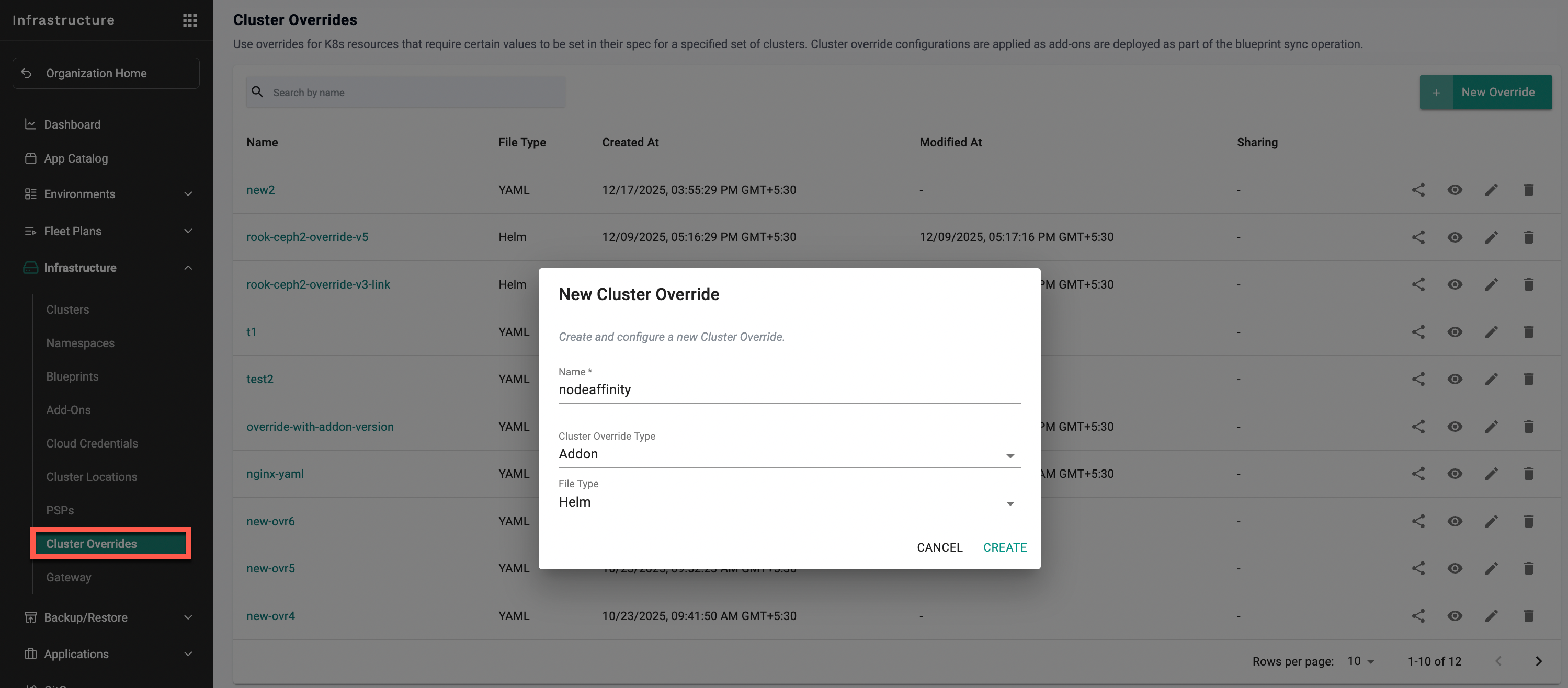
For more information, see Override Node Affinity for Addons.
Policy Management
OPA Gatekeeper
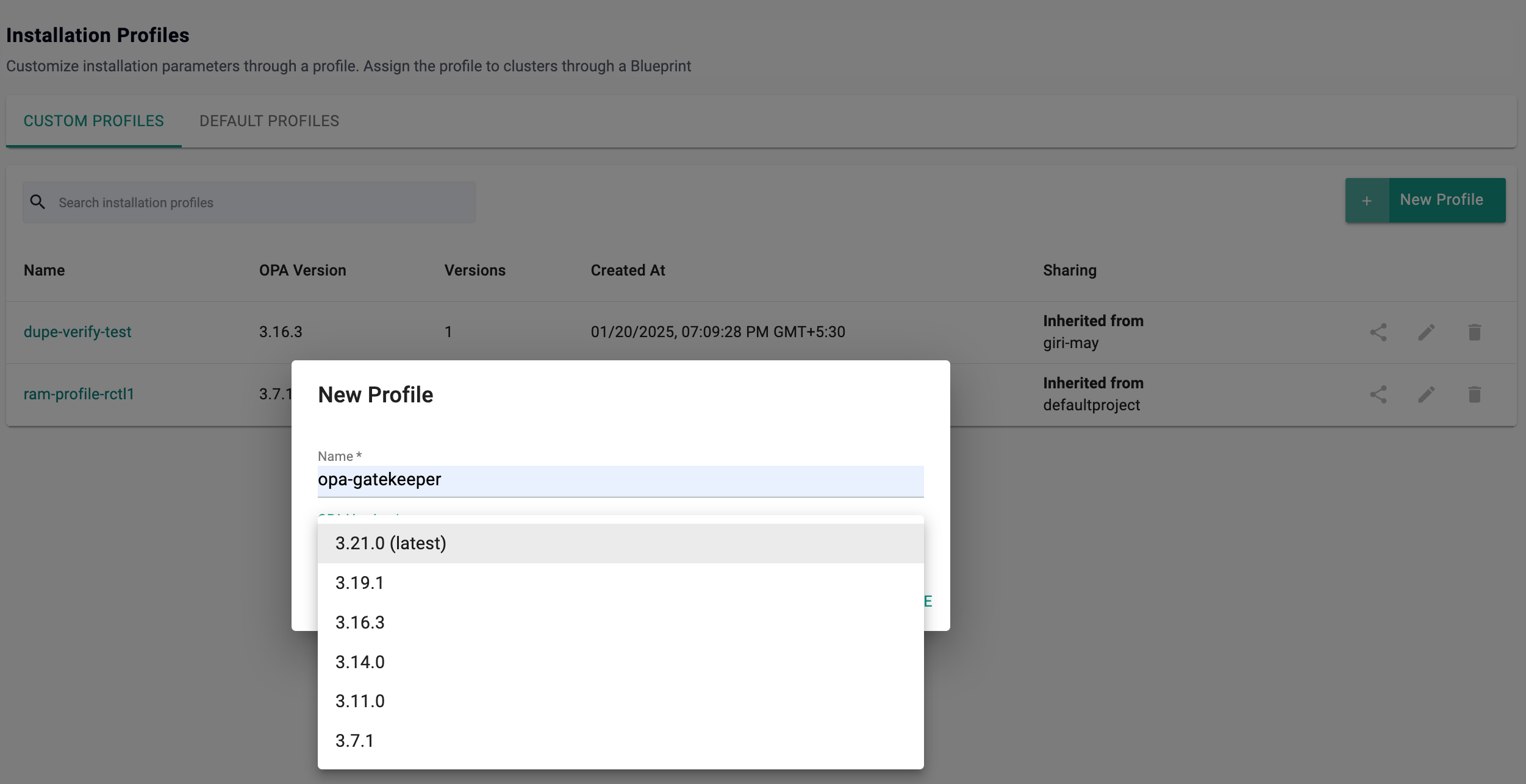
This release adds support for OPA Gatekeeper v3.21.0.
Benefit
Stay current with the latest Gatekeeper capabilities and security fixes, ensuring policy enforcement remains reliable and up to date across clusters.
Security
IP Whitelisting via RCTL
IP whitelisting was only configurable through the console UI. This release adds RCTL support to create, update, retrieve, and delete whitelisted IP addresses or CIDR ranges programmatically.
Benefit
Automate and script IP access controls as part of broader infrastructure workflows, without manual console updates.
For more information, see Managing IP Whitelisting Using RCTL.
GitOps
File Exclusion in Git-to-System Sync (.rafayignore)
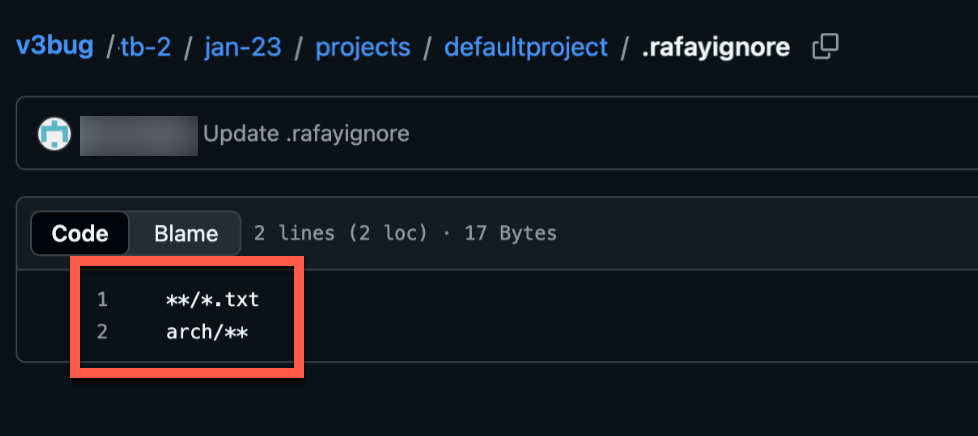
Non-spec files in a repository (e.g. README files, docs, examples) were being evaluated during Git-to-System sync, causing validation errors and pipeline noise. This release introduces .rafayignore, a pattern-based file committed to the repo. Matched files are skipped entirely during validation and sync.
README.md
*.md
docs/**
examples/**
Benefit
Keep auxiliary files alongside specs in the same repo without causing sync failures or validation noise.
For more information, see File Exclusion with .rafayignore.
Agent Deployment
The privileged init container previously used in the cd-agent has been removed with this release.
Benefit
Improves security by eliminating privileged access in the CD agent deployment.
Agent Version control
When creating an agent, users could previously only select the latest available version. This created challenges for customers who tested specific agent versions and later needed access to those versions after new releases became available. This release introduces enhanced agent version control capabilities:
- Users can now select N-1 and N-2 agent versions when creating an agent
- Support for rolling back an agent to a previously deployed version is now available
Benefit
Enables continued use of approved/test agent versions and faster recovery from upgrade issues by rolling back to a previously stable version.
Cost Management
App resizing
This release introduces App Resizing, enabling platform teams to generate reports that compare configured CPU and memory requests against actual usage metrics (P90, P95, and peak) per pod across clusters, projects, and namespaces.
Note: This feature requires the Rafay Prometheus stack to be enabled to collect the necessary metrics.
Benefit
Quickly identify over-provisioned workloads and reclaim wasted cluster capacity with data-backed insights.
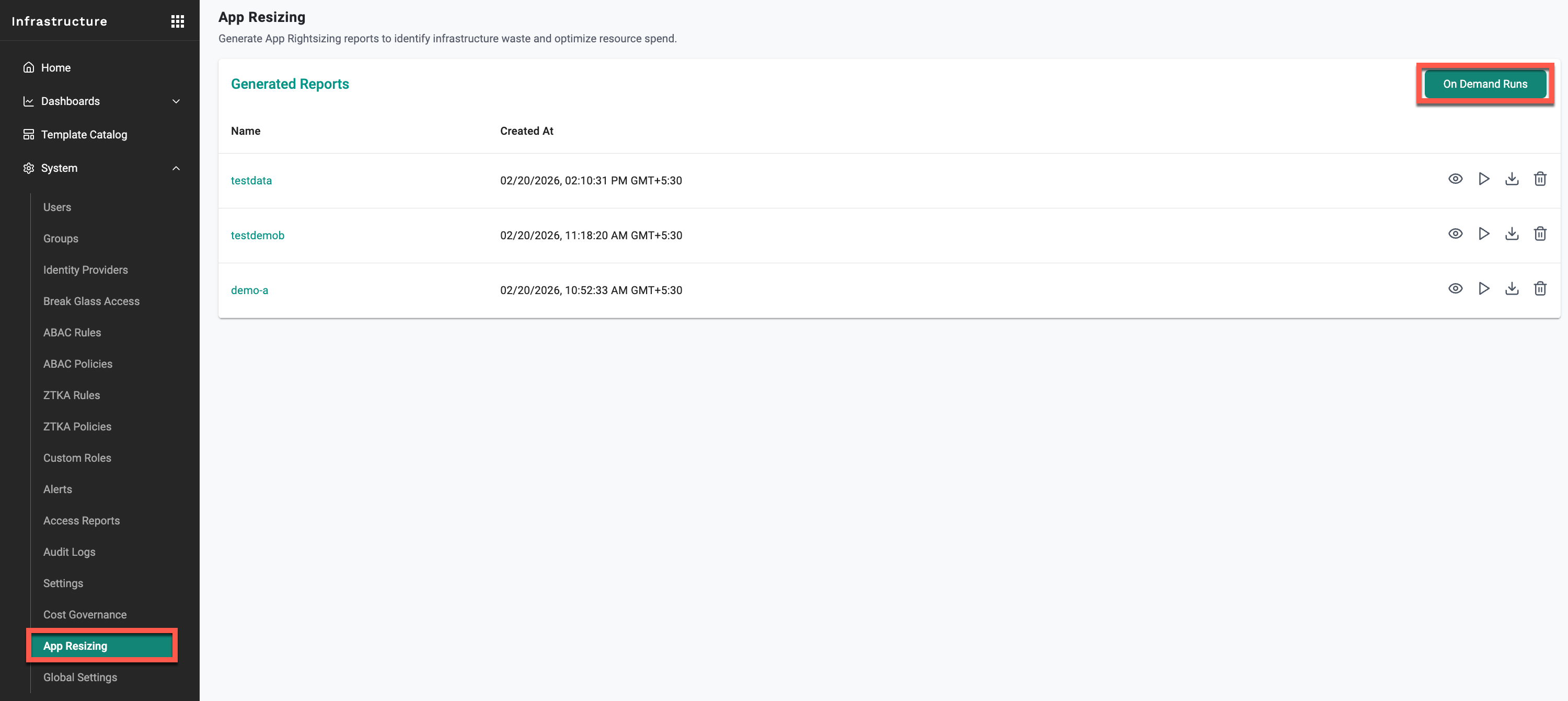
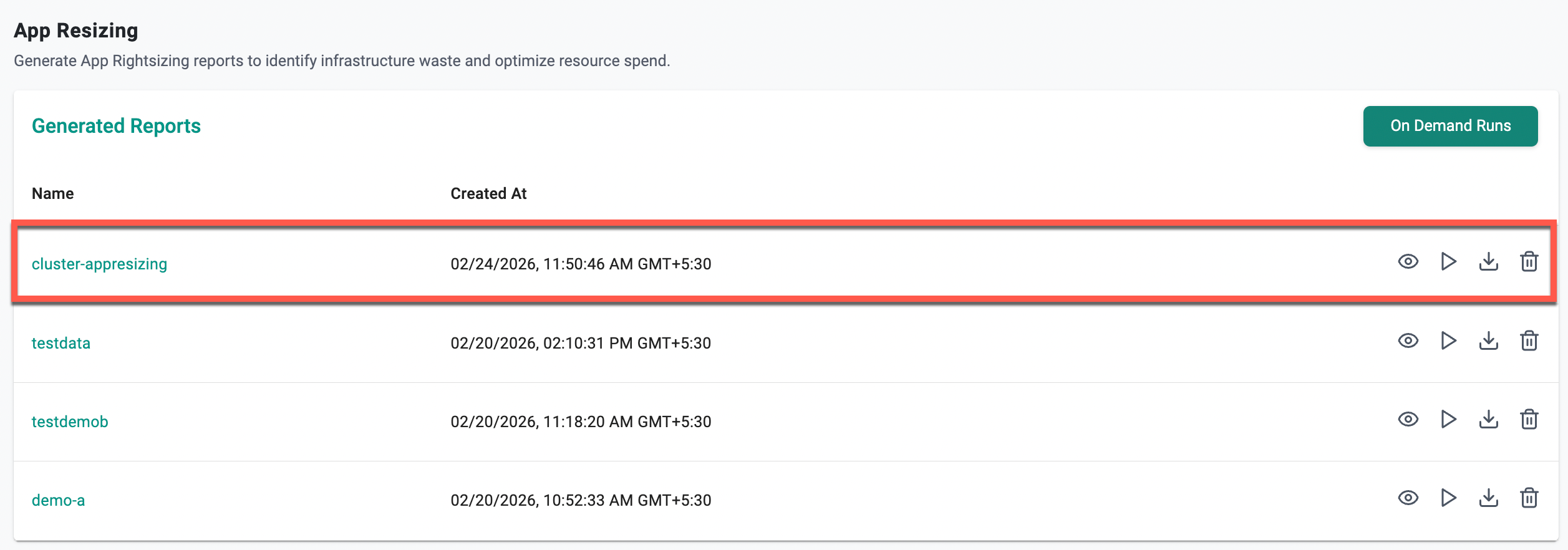
For more information, see App Resizing.
UI enhancements
Several UI improvements have been introduced to enhance usability and operational efficiency across cluster resources:
- Added the ability to search based on specific column names when viewing resources
- Users can now save custom views for frequently used resource filters and layouts
- Init containers are now visible in the UI
- Added the ability to restart StatefulSets and DaemonSets directly from the Resources tab
- Improved grouping and search capabilities for cluster and namespace labels, extending enhancements previously introduced for node labels
- The YAML manifest upload interface now supports both
.yamland.ymlfile formats
Benefit
Improves operational efficiency by making cluster resources easier to search, manage, and troubleshoot directly from the UI.
The following bug fixes have been addressed with 4.1 release:
| Bug ID | Description |
|---|---|
| RC-41891 | MKS: Fixed an issue where the kubelet config.yaml file was not restored after an upgrade |
v1.1.60 - Terraform Provider
An updated version of the Terraform provider is now available.
- ARC Zonal Shift and Auto Zonal Shift configuration support
- Repair Configuration Overrides for Node Auto Repair
For an example with these fields, see An example EKS cluster with node repair, zonal shift, and auto zonal shift.
-
Cluster and Node Annotations – Annotations can now be set at the cluster level via
metadata.annotationsand at the node level vianodes.<hostname>.annotations. Node-level annotations take precedence on conflict.resource "rafay_mks_cluster" "example" { api_version = "infra.k8smgmt.io/v3" kind = "Cluster" metadata = { name = "mks-ha-cluster" project = "terraform" annotations = { "app" = "infra" "infra" = "true" } } spec = { config = { nodes = { "hostname1" = { hostname = "hostname1" roles = ["ControlPlane", "Worker"] annotations = { "app" = "infra" "infra" = "true" } } } } } } -
Kubernetes Component Configuration (Control Plane Overrides)
For an example with these fields, see Examples of Control Plane Overrides.
v4.0 Update 7 - SaaS
Azure AKS
Bootstrap VM Configuration
Previously, the VM size and image used for the AKS bootstrap node were fixed to a smaller default, with no option to customize. Organizations can now configure bootstrapVmParams in the cluster spec to define a VM size and image that meets their standards — for example, a CIS-hardened or custom gallery image with an appropriate VM size.
The following bootstrapVmParams fields are supported under spec.clusterConfig.spec:
bootstrapVmParams:
  image:
    id: /subscriptions/<subscription-id>/resourceGroups/<rg>/providers/Microsoft.Compute/galleries/<gallery>/images/<image-def>/versions/<version>
    osState: Generalized   # or Specialized
  vmSize: Standard_B4ms
Full cluster spec example:
apiVersion: rafay.io/v1alpha1
kind: Cluster
metadata:
  name: <cluster-name>
  project: <project-name>
spec:
  blueprint: default-aks
  blueprintversion: latest
  cloudprovider: <cloud-credential-name>
  clusterConfig:
    apiVersion: rafay.io/v1alpha1
    kind: aksClusterConfig
    metadata:
      name: <cluster-name>
    spec:
      bootstrapVmParams:
        image:
          id: /subscriptions/<subscription-id>/resourceGroups/<resource-group>/providers/Microsoft.Compute/galleries/<gallery-name>/images/<image-definition>/versions/<version>
          osState: Generalized
        vmSize: Standard_B4ms
      managedCluster:
        apiVersion: "2025-01-01"
        identity:
          type: UserAssigned
          userAssignedIdentities:
            ? /subscriptions/<subscription-id>/resourceGroups/<resource-group>/providers/Microsoft.ManagedIdentity/userAssignedIdentities/<identity-name>
            : {}
        location: <azure-region>
        properties:
          apiServerAccessProfile:
            enablePrivateCluster: true
          autoUpgradeProfile:
            nodeOsUpgradeChannel: None
            upgradeChannel: none
          dnsPrefix: <cluster-name>-dns
          enableRBAC: true
          kubernetesVersion: 1.33.7
          networkProfile:
            dnsServiceIP: 10.0.0.10
            loadBalancerSku: standard
            networkPlugin: azure
            networkPolicy: azure
            serviceCidr: 10.0.0.0/16
          powerState:
            code: Running
        sku:
          name: Base
          tier: Free
        type: Microsoft.ContainerService/managedClusters
      nodePools:
      - apiVersion: "2025-01-01"
        name: primary
        properties:
          count: 1
          enableAutoScaling: true
          maxCount: 1
          maxPods: 110
          minCount: 1
          mode: System
          orchestratorVersion: 1.33.7
          osType: Linux
          type: VirtualMachineScaleSets
          vmSize: Standard_DS2_v2
          vnetSubnetID: /subscriptions/<subscription-id>/resourceGroups/<network-resource-group>/providers/Microsoft.Network/virtualNetworks/<vnet-name>/subnets/<subnet-name>
        type: Microsoft.ContainerService/managedClusters/agentPools
      resourceGroupName: <resource-group>
  type: aks
For more information, see Bootstrap VM Configuration.
Benefit
Allows organizations to enforce standard VM sizes and hardened images for the bootstrap node in line with organizational guidelines, without being constrained to the platform default.
v1.1.59 - Terraform Provider
An updated version of the Terraform provider is now available.
Cloud credentials v3 resource auto-recreation – Cloud credentials resources deleted out of band are now automatically recreated on the next terraform apply, eliminating the need for manual state management after out-of-band changes.
v4.0 Update 6 - SaaS
12 Mar, 2026
Azure AKS
Proxy Configuration
Previously updating the proxy configuration required a manual blueprint update to propagate changes to the operator components. This is now handled automatically as part of the proxy configuration update.
Bug Fixes
| Bug ID | Description |
|---|---|
| RC-47500 | AKS proxy update fails when DiskEncryptionSetID is configured with the deny-aks-without-cmk policy assigned |
| RC-47415 | AKS proxy config map not updated unless blueprint is manually republished |
v1.1.58 - Terraform Provider
An updated version of the Terraform provider is now available.
The following changes are included in this release:
Resource recreation on rename or project change – Resources now support automatic recreation when metadata or project fields are updated. On the next terraform apply, affected resources are recreated automatically, eliminating the need for manual state management after out of band changes.
updated resources
Addon, Blueprint, BreakGlassAccess, Cluster, ConfigContext, Credentials, Driver, Environment, EnvironmentTemplate, Repository, Resource, ResourceTemplate, WorkflowHandler
For example Cloud credentials deleted out of band from the console previously caused a 404 error during terraform apply. Affected resources are now automatically refreshed and recreated as part of terraform apply instead of failing.
v4.0 Update 5 - SaaS
5 Mar,2026
Upstream Kubernetes for Bare Metal and VMs
Kubernetes patch versions update
Previously only the latest patch version for each minor version was available in the upgrade flow. With this release, all patch versions that are available for new cluster creation are now also available for cluster upgrades.
For the full Kubernetes version support matrix, see Support Matrix.
Bug fixes
| Bug ID | Description |
|---|---|
| RC-46840 | Fixed error when clicking Save Changes on Cluster Overrides created via CLI invalid resource selector |
v1.1.57 - Terraform Provider
An updated version of the Terraform provider is now available.
aks_cluster_v3 – The following configuration options have been added to the AKS v3 Terraform resource:
- Azure managed Web Application Routing add-on
- Azure managed Istio service mesh add-on
- Key Vault Secret Provider CSI Driver
- Custom kubelet config
http_proxy,https_proxy,no_proxyconfiguration- Snapshot support
- Network dataplane: Cilium
- Network policy: Cilium
- Node Auto Provisioning (NAP)
For an example reference with these fields, see rafay_aks_cluster_v3/resource.tf.
Documentation update for EKS resource
- EKS system components placement